Teaching practical skills effectively requires more than just verbal instruction or static diagrams. When the goal is to equip individuals with the ability to perform a task, operate equipment, or execute a procedure, the medium of instruction directly impacts retention and proficiency. Video offers a distinct advantage in this domain, providing a visual, repeatable, and often more engaging learning experience. Understanding how to leverage video effectively for practical skills training is not just about recording; it involves a deliberate approach to content structuring, visual communication, and learner engagement to ensure that complex actions are not just observed, but truly learned and applied. To truly master this, understanding the basics of video production will significantly enhance your ability to create impactful training content.
Defining Practical Skills Training with Video
Practical skills encompass a broad range of competencies that require hands-on application and often involve a sequence of physical or operational steps. This can include anything from assembling a product, performing a medical procedure, operating specialized machinery, or demonstrating specific customer service interactions. Video excels here because it bypasses the limitations of text-only instructions, which often struggle to convey motion, timing, and spatial relationships. A well-produced training video can demonstrate the precise movements, the correct grip, the required pressure, or the exact sequence of button presses, all in real-time or adjusted for optimal learning.
Key advantage: Video provides a consistent, standardized demonstration that can be replayed indefinitely, ensuring every learner receives the same high-quality instruction regardless of their location or initial comprehension speed. This consistency is critical for maintaining operational standards and reducing errors across a workforce or user base.
Core Principles for Effective Training Video Production
Producing impactful training videos goes beyond simply pointing a camera. It demands a structured approach that prioritizes clarity, engagement, and actionable learning outcomes.
Clear Learning Objectives
Before any filming begins, define the specific, measurable skill or knowledge learners should acquire by the end of the video segment. Each video should focus on a discrete task or a manageable sub-task within a larger process. This prevents information overload and allows learners to master one component before moving to the next.
- Example: Instead of "How to use the machine," focus on "How to perform a safety check on the XYZ machine" or "How to load material into the XYZ machine."
Scripting for Clarity and Engagement
A detailed script is the blueprint for your video. It outlines not only the narration but also the visual cues, camera angles, and on-screen text. Break down complex tasks into logical, sequential steps. The language should be concise, direct, and free of jargon where possible, or clearly define any necessary technical terms. Consider whether a voiceover is sufficient or if an on-screen presenter adds necessary authority or personality.
Best for: Ensuring all critical information is covered in the correct order and that the presentation maintains a consistent tone and pace.
Visual Demonstration Techniques
The visual component is paramount for practical skills. Utilize a variety of camera techniques to highlight key actions:
- Close-ups: Essential for showing fine motor skills, small components, or specific controls.
- Multiple Angles: Provide different perspectives on a task, helping learners understand spatial relationships and hand positioning.
- Slow-motion: Break down rapid movements into observable steps.
- Annotations and Overlays: Use on-screen text, arrows, or highlights to draw attention to critical details or label parts.
- "Point of View" Shots: Mimic the learner's perspective, especially useful for tasks involving operating controls or assembly.
Audio Quality and Narration
Clear audio is non-negotiable. Poor sound quality can render even the best visual demonstration ineffective. Use external microphones to capture crisp narration, minimizing background noise. The narrator's pace should be deliberate, allowing learners time to process information. Ensure the narration directly corresponds to the on-screen action, reinforcing what is being seen.
Incorporating Interactivity and Assessment
While video primarily demonstrates, its integration within a learning platform can add interactive elements. Consider embedding quizzes at key points to check comprehension, or linking to downloadable checklists and job aids that reinforce the demonstrated steps. For more complex scenarios, branching videos can allow learners to make choices and see the consequences, simulating real-world decision-making.
Pro Tip: Avoid overwhelming learners with too much information in a single video. Break down complex procedures into a series of short, focused modules (e.g., 3-7 minutes each). This allows for easier digestion, better retention, and more flexible learning paths, enabling learners to revisit specific steps without scrubbing through a long video.
Production Quality Considerations
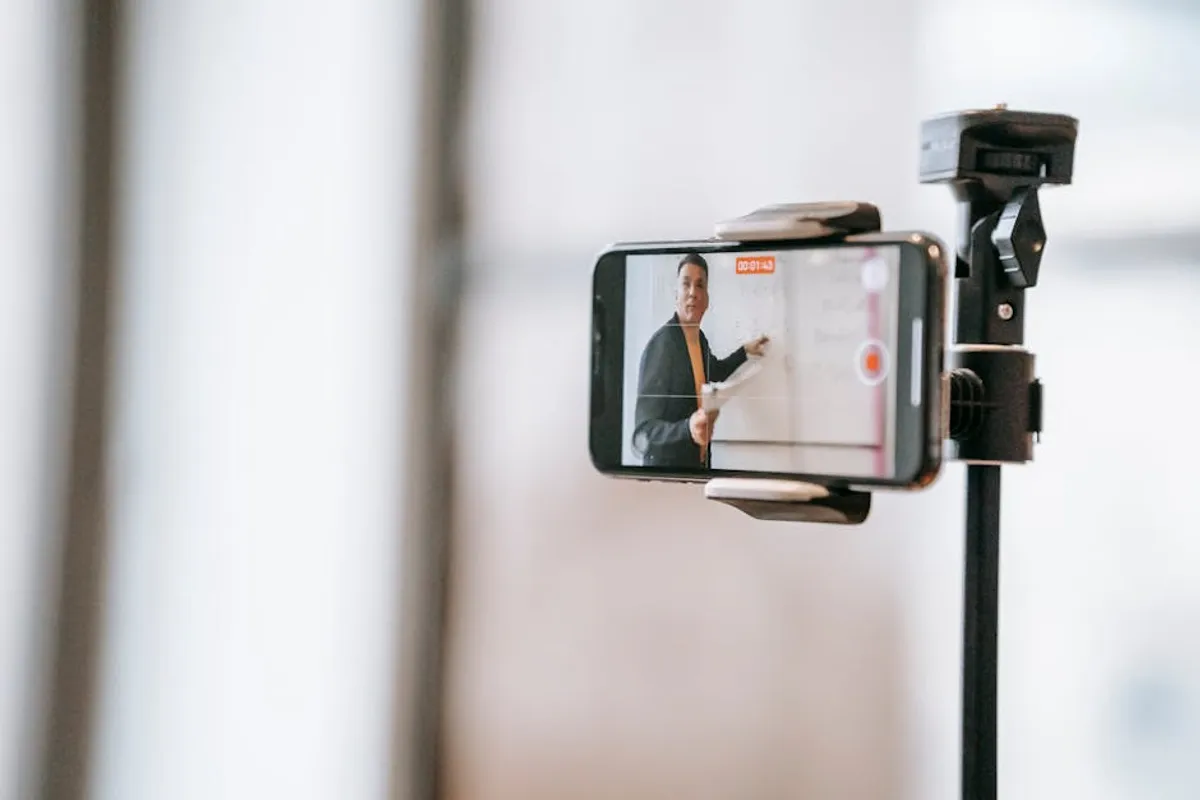
While Hollywood-level production isn't always necessary, a baseline of quality is important for credibility and learner engagement. Ensure adequate lighting to clearly see the subject, use a stable camera (a tripod is often sufficient), and edit for conciseness. Remove dead air, unnecessary pauses, and any footage that doesn't directly contribute to the learning objective. A clean, professional aesthetic communicates respect for the learner's time and attention.
Distributing and Integrating Training Videos
The effectiveness of training videos also depends on their accessibility and how they integrate into the learning ecosystem. Hosting videos on a dedicated Learning Management System (LMS) allows for tracking completion rates, progress, and assessment scores. For product tutorials or customer support, embedding videos on knowledge base articles or product pages makes information readily available. Always include captions and transcripts to ensure accessibility for hearing-impaired learners and to provide a searchable text version of the content.
Measuring the Impact of Video Training
To justify the investment in video training, establish metrics for success. Beyond simple completion rates, track practical outcomes. This might include a reduction in errors, faster task completion times, fewer support calls related to specific procedures, or improved performance on skill-based assessments. Gathering learner feedback through surveys can also provide qualitative insights into video effectiveness and areas for improvement.
Measurable outcomes:
- Reduced onboarding time for new hires.
- Decreased incidence of procedural errors.
- Improved scores on practical skill assessments.
- Higher compliance rates with safety protocols.
Practical Application: Implementing Video for Skill Development
To successfully integrate video into your practical skills training, begin by identifying the most critical skills that benefit from visual demonstration. Prioritize areas where current training methods are less effective, or where consistency is paramount. Start with a pilot project to refine your approach, gather feedback, and establish best practices before scaling. Continuously review and update video content to reflect new procedures, equipment, or best practices, ensuring your training remains relevant and impactful. Focusing on keeping training films clear and practical ensures that learners can easily follow along and achieve the desired outcomes.
Frequently Asked Questions
What equipment is needed to start producing training videos?
A modern smartphone or a basic DSLR camera can capture high-quality video. Essential accessories include a tripod for stability and an external microphone for clear audio. Good lighting, even natural light, is more important than expensive camera bodies.
How long should a training video be?
Optimal length varies by complexity, but shorter is generally better. Aim for 3-7 minutes per specific learning objective. For longer procedures, break them into a series of concise, sequential videos.
Can video training replace in-person instruction?
Video training can significantly reduce the need for repetitive in-person demonstrations and provide foundational knowledge. However, for highly complex or safety-critical skills, video often serves best as a preparatory tool, supplemented by hands-on practice and expert coaching.
How can I ensure learners actually watch and understand the videos?
Incorporate quizzes or knowledge checks within or immediately after videos. Link video content directly to practical assessments. Promote a culture where video resources are seen as essential tools for performance, not just optional viewing.