Effective employee onboarding is a critical factor in talent retention and productivity. Companies often face challenges with inconsistent training, information overload, and disengaged new hires. Video-based onboarding offers a structured, scalable solution to these issues, ensuring every new team member receives the same core information delivered engagingly. This approach reduces the burden on HR and managers, accelerates time-to-productivity, and reinforces company culture from day one. Crafting these videos requires strategic planning, thoughtful content development, and an understanding of production principles to maximize their commercial impact and integrate them seamlessly into your existing HR processes.
Strategic Content Planning for Onboarding Videos
The foundation of any successful onboarding video series lies in meticulous content planning. This phase defines what information new hires need, how it should be presented, and its ultimate purpose within the broader onboarding journey.
Identify Core Onboarding Stages and Information Needs
Break down the onboarding process into logical segments. Each segment can correspond to a specific video or module, addressing distinct informational requirements. Consider the new hire's journey from pre-boarding through their first 90 days.
- Pre-boarding: Welcome messages, company culture overview, what to expect on day one, administrative prerequisites.
- Day One Essentials: Office tour, introductions to key team members, IT setup, basic policies (e.g., dress code, work hours).
- Role-Specific Training: Department overviews, key tools and software, initial project assignments, performance expectations.
- Company Culture & Values: Deeper dive into mission, vision, values, employee benefits, growth opportunities.
- Compliance & Safety: Mandatory training modules (e.g., data privacy, workplace safety, anti-harassment).
Define Learning Objectives and Target Audience
For each video, establish clear learning objectives. What should the new hire *know* or *be able to do* after watching? Tailor the content and tone to specific roles or departments if necessary. A video for a sales associate might differ significantly from one for a software engineer, both in technical depth and cultural emphasis. Avoid a one-size-fits-all approach if your organization has diverse roles requiring distinct initial knowledge sets.
Scripting and Storyboarding for Engagement
Once content themes are established, the next step is to translate them into compelling narratives. A well-crafted script and storyboard ensure clarity, consistency, and visual appeal, preventing information overload.
Develop Concise and Actionable Scripts
Scripts should be direct, using plain language and avoiding jargon where possible. Focus on one key message per segment. Incorporate calls to action where appropriate, such as "Click here to complete your benefits enrollment" or "Reach out to your manager for access to the project management tool." Maintain a consistent brand voice throughout all videos, reflecting your company's personality.
Pro Tip: Read your script aloud to catch awkward phrasing or overly long sentences. Aim for a conversational tone that feels welcoming, not didactic.
Visualize with Storyboards
A storyboard outlines the visual sequence of your video, shot by shot. It maps out what appears on screen, accompanying audio (dialogue, music, sound effects), and any on-screen text or graphics. This planning step is crucial for maintaining visual flow, ensuring key points are highlighted, and identifying opportunities for visual aids like diagrams, screen shares, or testimonials. Storyboarding helps prevent costly reshoots and ensures alignment between the visual and auditory elements.
Warning: Poor audio quality is a primary reason viewers disengage from video content. Even with high-definition visuals, muffled or inconsistent sound can render your message ineffective. Invest in a good external microphone and ensure a quiet recording environment to maintain professionalism.
Production Considerations: Quality and Scalability
The production phase translates your script and storyboard into finished video assets. Decisions here impact both the perceived quality and the long-term scalability of your onboarding program.
Equipment and Filming Basics
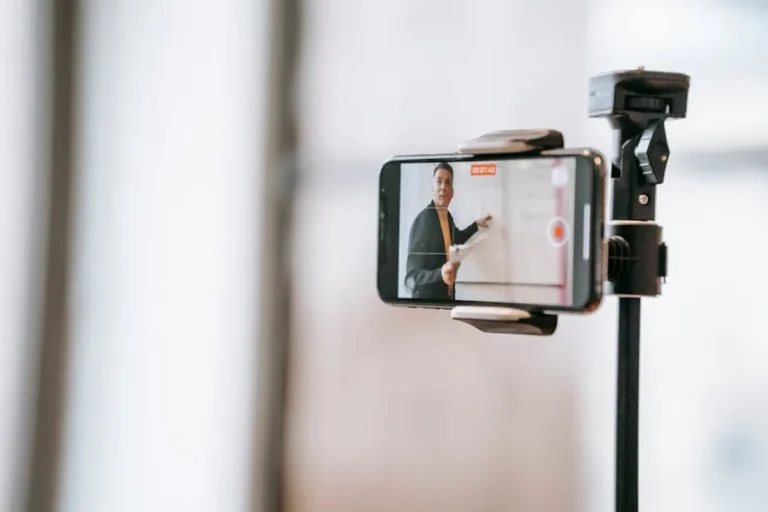
While professional studios offer peak quality, many companies can produce effective videos with accessible equipment. Prioritize clear audio and adequate lighting. A decent smartphone camera, a lapel microphone, and a simple LED light kit can yield professional-looking results. Ensure a clean, well-lit background that aligns with your brand aesthetic. Use a tripod for stable shots.
Key elements:
- Camera: DSLR, mirrorless, or high-end smartphone.
- Audio: External lavalier (lapel) mic or shotgun mic.
- Lighting: Three-point lighting setup (key, fill, backlight) using softboxes or LED panels.
- Environment: Quiet space with minimal echoes; consider acoustic treatment if recording regularly.
Editing and Post-Production
Editing brings all elements together. Focus on a clear narrative flow, smooth transitions, and appropriate pacing. Incorporate on-screen text for key takeaways, branded graphics, and background music that complements the tone without distracting. Subtitles or closed captions are essential for accessibility and for viewers in noisy environments. Ensure consistent branding elements, such as logos, color palettes, and fonts, across all videos.
Best for: Ensuring brand consistency and professional polish.
In-House vs. Professional Production
The choice between in-house production and outsourcing depends on your budget, internal capabilities, and desired quality level. In-house teams offer flexibility and deep institutional knowledge but require dedicated staff and equipment. Professional production houses provide expertise, advanced equipment, and often a higher production value, which can be beneficial for high-stakes or foundational videos, but at a greater cost. A hybrid approach, where complex animations or high-level executive messages are outsourced while routine updates are handled internally, can be effective.
Distribution and Measuring Effectiveness
Creating the videos is only half the process; effective distribution and ongoing measurement ensure they achieve their intended impact.
Hosting and Integration
Host your videos on platforms that offer reliable streaming and analytics. Options include:
- Learning Management Systems (LMS): Ideal for tracking completion rates, quiz results, and integrating with other training modules.
- Internal video platforms: Secure, searchable repositories for company-wide video content.
- Private YouTube/Vimeo channels: Cost-effective for smaller organizations, offering good analytics and embed options.
Integrate these videos directly into your onboarding workflow, whether through an LMS, HR portal, or a sequenced email campaign. Ensure new hires know where and when to access the content.
Tracking Engagement and Impact
Utilize the analytics capabilities of your chosen hosting platform. Monitor metrics such as:
- View counts: Overall reach.
- Completion rates: Indicates engagement and relevance.
- Drop-off points: Highlights sections where content might be confusing or too long.
- Quiz scores: Measures comprehension (if applicable).
- New hire surveys: Collect direct feedback on video usefulness and clarity.
Analyze these data points to identify areas for improvement and demonstrate the ROI of your video onboarding program.
Iterative Improvement for Onboarding Videos
Employee onboarding videos are not static assets. To maintain their commercial value, they require ongoing review and optimization.
Regularly review content for accuracy, relevance, and compliance with current policies. As company culture evolves, or new tools are introduced, update corresponding video segments. Solicit feedback from new hires and hiring managers to identify pain points or areas needing clarification. Use analytics to pinpoint underperforming videos or segments and revise them accordingly. This iterative process ensures your video onboarding program remains a valuable, dynamic resource that supports your organization's growth and talent strategy.
Frequently Asked Questions
How long should an onboarding video be?
Keep individual videos concise, ideally between 2-5 minutes per topic. New hires absorb information better in short, digestible chunks. A series of short videos is more effective than one long, overwhelming presentation.
What is the typical cost to produce an onboarding video?
Costs vary widely depending on production quality, animation requirements, and whether you use in-house resources or external agencies. Simple, talking-head style videos produced internally can be low-cost, while highly polished, animated, or multi-location productions can range from a few thousand to tens of thousands of dollars per minute of finished video.
How often should onboarding videos be updated?
Review your onboarding videos at least annually, or whenever there are significant changes to company policies, tools, or culture. Compliance-related videos may require more frequent updates based on regulatory changes. Regularly solicit feedback from new hires to identify content that feels outdated or unclear.