Effective sales training is a continuous challenge for organizations aiming to maintain a competitive edge. Traditional methods often struggle with scalability, consistency, and engagement, leading to varied performance across sales teams. Video offers a direct solution by providing a standardized, repeatable, and engaging medium for delivering essential skills and product knowledge. Integrating video into your sales training framework can significantly improve information retention, accelerate onboarding, and ensure that every sales professional receives consistent, high-quality instruction, regardless of their location or experience level. This approach allows for flexible learning paths and measurable skill development, directly impacting sales efficiency and revenue generation. To further illustrate, exploring examples of effective training videos can provide valuable inspiration for your own content creation efforts.
Establishing the Foundation for Video Sales Training
Before producing any video content, define the specific sales challenges or knowledge gaps your training aims to address. This initial assessment ensures that video development is targeted and resource-efficient. Consider where your sales team most frequently encounters friction—whether it's product feature recall, objection handling, or closing techniques. Video excels at demonstrating complex processes and illustrating best practices in a way that static documents or live lectures often cannot match. Once you've identified these friction points, focus on scripting engaging training videos that directly address them with clear, actionable advice.
- Identify specific learning objectives: What exact behaviors or knowledge points should a sales rep master after watching the video? For example, "Successfully demonstrate the new software feature X" or "Confidently counter objection Y."
- Map content to the sales funnel: Align video modules with different stages of your sales process. Early-stage videos might cover prospecting and initial qualification, while later-stage content focuses on negotiation and closing.
- Determine target audience segments: Tailor content for new hires versus experienced reps, or for different product lines. A one-size-fits-all approach diminishes relevance.
Types of Video Content for Sales Training
Various video formats serve distinct training purposes, each contributing to a comprehensive sales education program. Selecting the right format depends on the specific skill or knowledge being conveyed.
Product Demonstrations and Feature Walkthroughs
These videos provide visual, step-by-step guidance on how products function and how to articulate their value. They are crucial for ensuring sales teams can confidently showcase offerings. Effective product demos focus on customer benefits rather than just features, using clear, concise language and professional visuals. They reduce the need for live, repetitive demonstrations by product specialists, freeing up expert time.
Role-Playing Scenarios and Objection Handling
Simulated sales calls or customer interactions allow reps to practice responses in a low-stakes environment. Video can present common customer questions or objections, followed by examples of effective and ineffective responses. This format helps build confidence and refine communication skills, preparing reps for real-world encounters. It also provides a consistent benchmark for desired conversational flows.
Microlearning Modules
Short, focused videos (typically 2-5 minutes) address single learning objectives. These are ideal for reinforcing key concepts, introducing new product updates, or providing quick refreshers on specific sales techniques. Their brevity makes them digestible and suitable for on-demand learning, fitting into busy sales schedules without requiring extensive time commitments.
Leadership and Expert Interviews
Featuring senior sales leaders or top performers sharing their strategies, insights, and experiences can be highly motivating and educational. These videos offer valuable perspectives, build team cohesion, and provide aspirational examples. They personalize the learning experience and connect training content to real-world success within the organization.
Pro Tip: When creating role-playing scenarios, prioritize authenticity over cinematic production value. Use real sales reps or actors who can genuinely portray customer interactions. Imperfect, relatable scenarios often resonate more and provide better learning opportunities than overly polished, unrealistic portrayals.
Developing and Deploying Your Video Sales Training Program
Effective video training extends beyond mere content creation; it involves strategic planning for production and distribution.
Scripting and Storyboarding
A well-structured script ensures clarity, consistency, and adherence to learning objectives. Storyboarding visualizes the video's flow, shot by shot, helping to identify potential issues before production begins. Focus on concise dialogue, clear calls to action, and visual elements that reinforce key messages. This pre-production phase minimizes costly re-shoots and ensures a coherent narrative.
Production Considerations
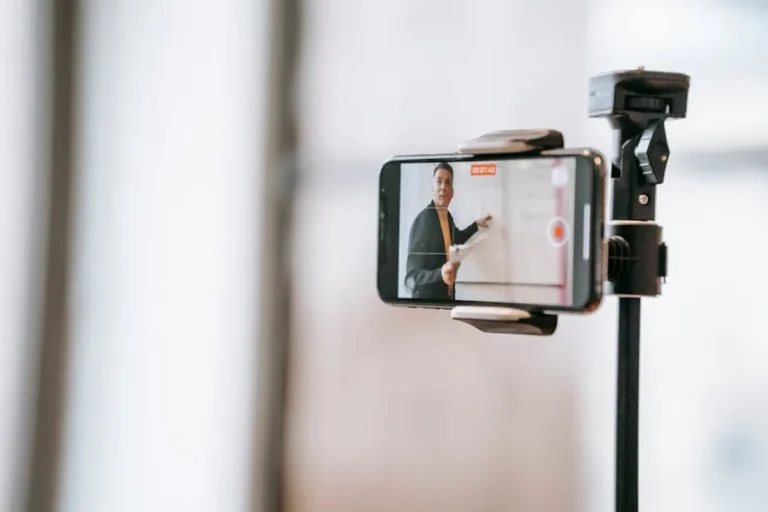
While high-end equipment is not always necessary, clear audio, adequate lighting, and stable camera work are fundamental for professional-looking videos. Consider using readily available tools like smartphones with external microphones or basic DSLR cameras. For screen recordings, ensure software is updated and demonstrations are smooth. The goal is clarity and watchability, not Hollywood-level effects.
Distribution and Accessibility
Host videos on a platform that allows for easy access, tracking of viewership, and integration with other training materials. A Learning Management System (LMS) or a dedicated internal video platform can provide these capabilities. Ensure videos are accessible across devices (desktop, tablet, mobile) to support flexible learning. Organize content into logical modules or playlists for easy navigation.
Integrating Video into the Sales Workflow
For video training to be truly effective, it must become an integrated part of the sales team's daily and weekly routines, not an isolated event.
Pre-Call Preparation and Post-Call Review
Encourage reps to watch relevant microlearning videos before key calls to refresh on specific product features or objection handling techniques. After calls, they can review their own recorded interactions against best practices demonstrated in training videos, facilitating self-correction and continuous improvement.
Gamification and Quizzing
Incorporate quizzes or interactive elements within video modules to test comprehension and reinforce learning. Leaderboards or badges for module completion and quiz performance can incentivize engagement. This transforms passive viewing into active learning and provides measurable data on knowledge acquisition.
Peer Review and Coaching
Facilitate a culture where sales reps can record and share their practice pitches or customer interactions for peer and manager feedback. Training videos can serve as a common standard against which performance is evaluated, ensuring feedback is consistent and objective. This fosters a collaborative learning environment.
Measuring Impact and Iterating
The value of video sales training is ultimately determined by its impact on sales performance. Establish clear metrics to track effectiveness.
- Completion and engagement rates: Track how many reps complete modules and how much time they spend watching. Low engagement may indicate content relevance or format issues.
- Knowledge retention: Use quizzes or assessments to measure how well information is retained over time.
- Sales performance metrics: Correlate video training with key sales indicators such as conversion rates, average deal size, sales cycle length, and time to first sale for new reps.
- Qualitative feedback: Gather direct input from sales reps and managers on the perceived usefulness and impact of the video content.
Regularly review these metrics to identify areas for improvement. Video content should not be static; update it to reflect new product features, market changes, or evolving sales strategies. This iterative approach ensures the training program remains relevant and impactful.
Implementing Your Video Sales Training Strategy
Leveraging video for sales training requires a systematic approach, from initial content planning to ongoing performance measurement. By thoughtfully integrating various video formats, focusing on practical application, and committing to continuous improvement, organizations can build a robust training ecosystem. This system not only enhances the skills and confidence of individual sales professionals but also drives consistent, measurable improvements in overall sales effectiveness and revenue generation.
Frequently Asked Questions
How long should sales training videos be?
The optimal length varies by content type. Product demonstrations or complex process explanations might require 10-15 minutes, but microlearning modules for skill reinforcement should ideally be 2-5 minutes to maintain engagement and facilitate on-demand consumption.
What equipment is necessary to produce effective sales training videos?
You don't need professional studio equipment. A modern smartphone with an external microphone for clear audio, good natural lighting, and a stable tripod can produce high-quality videos. For screen recordings, reliable screen capture software is essential.
How often should video sales training content be updated?
Update frequency depends on the content. Product-specific videos require updates with new features or versions. Sales technique videos might need refreshing every 12-18 months to reflect market changes or new best practices. Performance data and sales team feedback should guide your update schedule.
How can I ensure sales reps actually watch the training videos?
Integrate videos directly into their workflow, make them easily accessible, and connect completion to performance incentives or career progression. Incorporate interactive quizzes, peer review opportunities, and manager-led discussions to reinforce learning and accountability.