Converting standard operating procedures (SOPs) from static text documents into dynamic training videos represents a strategic shift for organizations aiming to optimize employee performance and operational consistency. Text-based SOPs, while foundational, often suffer from low engagement and varying interpretation, leading to inconsistencies in execution. Video, conversely, offers a multi-sensory learning experience that can significantly improve comprehension, retention, and application of complex procedures. The decision to invest in video SOPs is a commitment to reducing training time, minimizing errors, and ensuring every team member operates from a unified, visually reinforced understanding of their tasks and responsibilities. This shift is driven by the need for making training videos more engaging and effective than traditional methods.
Why Video SOPs Deliver More Value
Video-based SOPs offer distinct advantages over traditional written formats by addressing common challenges in corporate training and operational consistency. Their commercial value stems from direct impacts on efficiency, error reduction, and scalability.
Enhanced Comprehension and Retention
Visual and auditory information is processed more efficiently by the human brain than text alone. When employees watch a process being demonstrated, they gain a clearer understanding of nuanced movements, timing, and specific tool usage that static images or written descriptions cannot fully convey. This leads to fewer misinterpretations and a higher likelihood of correct execution from the outset. For example, a video demonstrating the precise sequence for equipment calibration, including hand movements and sensor readings, ensures a level of detail and clarity that a written manual would struggle to match, reducing the need for repeated explanations and minimizing operational downtime.
Standardized Execution
One of the primary commercial benefits of video SOPs is their ability to enforce standardization. Each employee receives the exact same visual and auditory instruction, eliminating the variability that arises from different trainers or individual interpretations of written guidelines. This consistency is critical in industries where precision, safety, or brand experience are paramount. A video ensures that every product assembly, customer service interaction, or compliance check is performed uniformly, directly impacting product quality, customer satisfaction, and regulatory adherence.
Scalable Onboarding and Training
Video SOPs are highly scalable resources. Once created, they can be deployed repeatedly to an unlimited number of new hires or for ongoing refresher training without additional instructor time. This significantly reduces the cost and time associated with onboarding, especially for organizations with high turnover or rapid growth. New team members can learn at their own pace, replaying sections as needed, which accelerates their time to productivity. This scalability translates directly into reduced training overhead and faster integration of personnel into operational roles.
The Conversion Process: From Text to Visual
Transforming a written SOP into an effective training video requires a structured approach that prioritizes clarity, visual communication, and instructional design principles.
Step 1: Deconstruct the SOP
Begin by thoroughly analyzing the existing text SOP. Identify every distinct step, decision point, and critical detail. The goal is to understand the "what," "how," and "why" of each action. During this deconstruction, consider what elements are best "shown" rather than "told." For instance, a written instruction to "tighten the screw until snug" benefits from a visual demonstration of the appropriate torque or a visual cue for "snugness." Prioritize the most complex or error-prone steps for detailed visual explanation.
Step 2: Scripting for Video
A video script is the blueprint for your production. It outlines the narration, on-screen text, visual cues, and any graphics or animations. Each step identified in the deconstruction phase should have a corresponding segment in the script. Keep narration concise, using action-oriented language. Integrate visual descriptions that guide the camera operator or screen recorder. For complex procedures, break down the script into manageable segments, each focusing on a single task or sub-task to maintain learner engagement and facilitate easier updates later.
Pro Tip: When scripting, read the entire script aloud to identify awkward phrasing or overly long sentences. Ensure the narration flows naturally and aligns perfectly with the intended visual actions. A clear, conversational tone in the script will translate into a more engaging video.
Step 3: Production Considerations
The production phase involves capturing the visual and audio content. The choice of production method depends on the SOP's nature:
- Live Action: Best for physical tasks, equipment operation, or demonstrations requiring real-world interaction. Requires a camera, lighting, and a clear, quiet environment.
- Screen Capture: Ideal for software tutorials, system navigation, or digital workflows. Requires screen recording software and a clean, organized desktop.
- Animation/Motion Graphics: Suitable for conceptual processes, abstract ideas, or when physical demonstration is impractical or unsafe. Requires specialized software and design skills.
Regardless of the method, invest in clear audio. A good microphone is often more critical than a high-end camera for instructional clarity. Ensure consistent lighting and a clean background for live-action shots, and a clutter-free screen for screen captures.
Step 4: Editing and Refinement
Editing transforms raw footage into a polished training asset. Focus on pacing: keep the video moving without rushing, allowing enough time for learners to absorb information. Use transitions smoothly to connect segments. Incorporate on-screen text, annotations, arrows, or highlights to draw attention to critical details or reinforce key messages. Consider adding interactive elements like quizzes or clickable chapters if your hosting platform supports them. Finally, ensure the video's visual style, branding, and tone align with organizational standards to maintain a professional and consistent learning experience.
Distribution and Maintenance Strategies
Creating video SOPs is only half the effort; effective distribution and ongoing maintenance are crucial for sustained value.
Choosing the Right Platform
The platform used to host and deliver your video SOPs directly impacts accessibility, security, and analytics. Options range from internal Learning Management Systems (LMS) that offer robust tracking and integration with HR systems, to private video hosting services providing granular access controls and performance metrics, or even secure shared drives for smaller teams. Select a platform that supports version control, allows for easy updates, and provides insights into viewer engagement, such as completion rates and frequently replayed sections.
Version Control and Updates
SOPs are living documents, and their video counterparts must be treated similarly. Establish a clear process for reviewing and updating video SOPs to ensure they remain accurate and relevant. This includes setting a regular review cycle (e.g., annually or bi-annually) and assigning ownership for content accuracy. When updates are necessary, aim to re-record only the affected segments rather than the entire video, if possible. Clearly communicate changes to employees, perhaps through annotations within the video or accompanying text descriptions, to prevent confusion and ensure compliance with the latest procedures.
Measuring Effectiveness
To justify the investment and refine your video SOP strategy, measure their impact. Track metrics such as video completion rates, quiz scores (if applicable), and time spent on specific sections. Correlate these with operational data like error rates, training time, and employee performance reviews. Gather direct feedback from employees through surveys or focus groups to understand comprehension levels and identify areas for improvement. These insights provide concrete data points for continuous optimization of your video training assets.
Implementing Your Video SOP Initiative
Starting with a pilot project is often the most effective way to integrate video SOPs. Select one or two critical, frequently performed, or complex procedures that would benefit most from visual instruction. Document the process, gather feedback, and measure the initial impact. This iterative approach allows you to refine your production workflow, optimize your content strategy, and demonstrate tangible returns before scaling across the organization. Focus on clear communication, consistent quality, and a commitment to ongoing improvement to maximize the commercial utility of your video SOPs.
Frequently Asked Questions
What types of SOPs are best suited for video?
SOPs involving physical actions, equipment operation, software navigation, complex decision trees, or safety protocols benefit most from video. Any procedure where visual demonstration clarifies ambiguity or enhances precision is an ideal candidate.
How long should a training video SOP be?
Optimal length varies, but generally, shorter videos (2-7 minutes) are more effective for single tasks or sub-processes. For longer, multi-step procedures, break them into a series of short, focused videos or use chapters to allow learners to navigate specific sections.
Do I need professional equipment to create video SOPs?
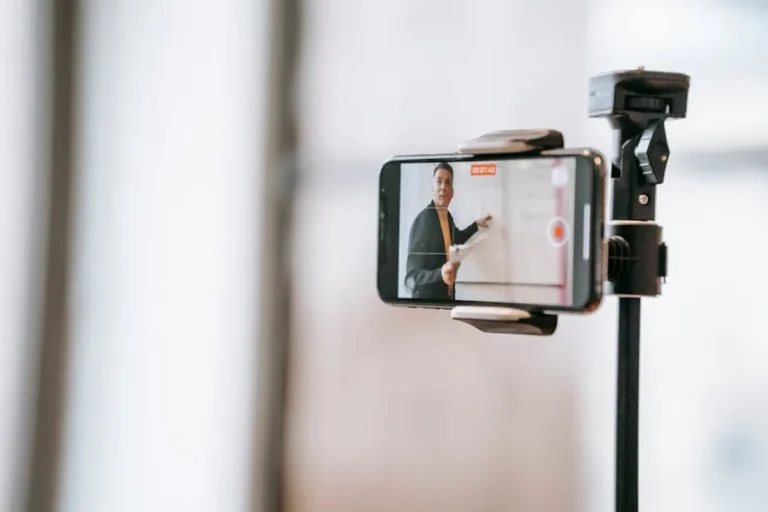
While professional equipment can enhance quality, many effective video SOPs can be created with a smartphone camera, a basic external microphone, and readily available screen recording software. Focus on clear audio, good lighting, and concise scripting over high-end gear.
How often should video SOPs be updated?
Video SOPs should be reviewed at least annually or whenever the underlying procedure changes significantly. Critical operational or compliance-related SOPs may require more frequent review to ensure accuracy and adherence to current standards.