Employee onboarding videos represent a strategic investment in human capital, directly impacting new hire productivity, engagement, and long-term retention. Shifting from static documents or inconsistent live presentations to dynamic video content addresses common pain points in the onboarding process: information overload, lack of standardization, and missed opportunities for early cultural immersion. A well-designed video series ensures every new team member receives consistent, high-quality information, delivered efficiently and engagingly, regardless of their start date or location. This approach frees up HR and management time previously spent on repetitive introductions, allowing them to focus on more personalized mentorship and strategic initiatives. The commercial value lies in reducing ramp-up time, fostering a stronger sense of belonging from day one, and ultimately lowering the costs associated with early employee turnover.
Strategic Planning for Onboarding Video Content
Effective onboarding videos begin with meticulous planning, not just production. Before any filming, define the overarching goals for your video series. Are you aiming to reduce HR queries by 20%? Improve new hire satisfaction scores by 15% within the first month? Or accelerate time-to-productivity for specific roles? Clear, measurable objectives will guide content creation and allow for post-implementation evaluation.
Defining Objectives and Audience
Identify your primary audience. While all new hires are the target, consider segmenting content based on role, department, or seniority. A new sales representative will benefit from different initial information than a new software engineer. Understanding these nuances allows for tailored content that resonates more deeply. For instance, an introductory video from the CEO might be universally applicable, but a deep dive into specific software tools would be role-specific.
Identifying Key Onboarding Stages
Map out the entire onboarding journey, from pre-boarding (before day one) through the first 90 days. This timeline dictates when specific information is most relevant. Overloading new hires with too much information at once is counterproductive. Segment your video content to align with these stages, delivering information incrementally as it becomes useful.
Content Segmentation and Video Types
Different types of videos serve distinct purposes within the onboarding process. A varied approach keeps the content fresh and relevant. Consider incorporating:
- Welcome and Culture Videos: Introduce company values, mission, and leadership. These videos establish the company's personality and make new hires feel connected.
- Departmental Overviews: Explain the function of different teams and how they collaborate. This helps new employees understand the organizational structure and their place within it.
- Policy and Compliance Briefs: Cover essential HR policies, safety procedures, and legal compliance in an accessible format, often more engaging than text documents.
- Tool and System Tutorials: Demonstrate how to use essential software, communication platforms, or internal systems, reducing initial technical friction.
- Role-Specific Training: Provide foundational knowledge or initial skill development directly relevant to the new hire's position, accelerating their readiness for core tasks.
Scripting and Storyboarding for Clarity
The quality of your video content hinges on the clarity and structure of its underlying script and storyboard. These documents transform abstract ideas into concrete visual and auditory experiences.
Crafting Engaging Narratives
A strong script is concise, conversational, and directly addresses the new hire's potential questions or concerns. Avoid jargon where possible, or explain it clearly. Focus on benefits and practical applications rather than just features. For example, instead of stating "We use Project Management Software X," explain "Project Management Software X helps our teams track progress and collaborate efficiently, ensuring projects stay on schedule." Incorporate calls to action, guiding the viewer on what to do next or where to find more information.
Visualizing the Message
A storyboard acts as a visual blueprint, outlining each scene, shot angles, on-screen text, graphics, and audio cues. This pre-visualization step ensures a logical flow and identifies potential issues before production begins. It helps maintain consistency in branding and messaging across all videos. For complex topics, a storyboard can simplify explanations by breaking them into manageable visual segments, using animations or graphics to illustrate abstract concepts.
Production Essentials for Professional Results
While high-end equipment isn't always necessary, a focus on fundamental production quality ensures your videos are watchable and credible. Professionalism in presentation reflects professionalism in your organization.
Equipment and Environment Considerations
For basic in-house production, a modern smartphone or DSLR camera can suffice. Prioritize good lighting—natural light is often best, supplemented by a simple LED panel. A clean, uncluttered background is crucial; a dedicated filming space or a well-chosen office area can work. Ensure the environment is quiet to minimize background noise, which can significantly detract from video quality.
Filming and Audio Best Practices
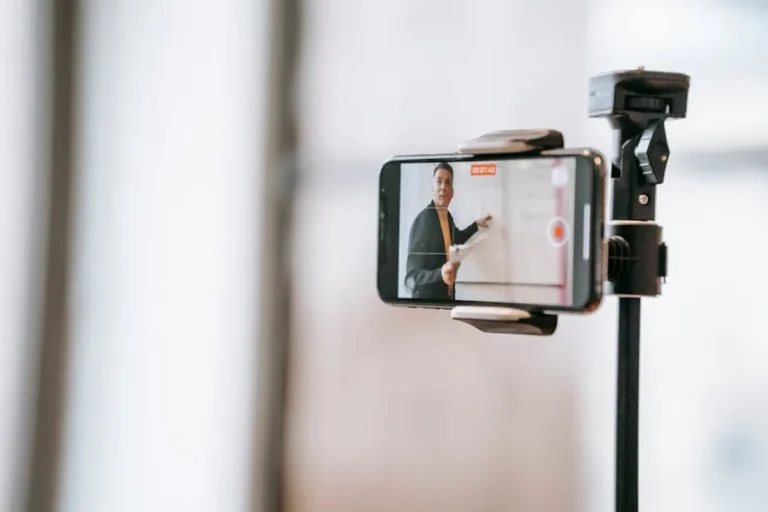
Stable footage is non-negotiable; use a tripod. Frame your subjects appropriately, typically from the chest up, with good eye contact. Audio quality is paramount; poor audio can render even a well-shot video unusable. Invest in an external microphone (e.g., a lavalier mic or a directional shotgun mic) for clear voice capture. Speak clearly and at a moderate pace, allowing viewers to absorb the information.
Editing for Impact and Flow
Editing transforms raw footage into a polished final product. Keep videos concise; aim for short, digestible segments (e.g., 3-7 minutes per video) rather than one long feature. Use clear transitions, on-screen text for key takeaways, and relevant graphics or animations to enhance understanding. Incorporate consistent branding elements like intros, outros, and lower thirds. Ensure audio levels are consistent throughout and background music, if used, doesn't overpower the narration.
Integrating and Distributing Your Videos
Creating compelling videos is only half the battle; effective distribution ensures they reach new hires at the right time and are easily accessible.
Platform Selection and Accessibility
Host your videos on a platform that offers reliable streaming, analytics, and appropriate security. Options range from internal learning management systems (LMS) to private video hosting services. Ensure videos are accessible across various devices (desktop, tablet, mobile) and consider adding closed captions or transcripts for accessibility compliance and diverse learning styles. Organize content logically within your chosen platform, using playlists or modules to guide new hires through the sequence.
Measuring Engagement and Effectiveness
Post-launch, track key metrics to gauge video effectiveness. Most hosting platforms provide data on viewership, completion rates, and engagement hotspots. Collect feedback from new hires through surveys or direct interviews. This quantitative and qualitative data is invaluable for iterative improvements.
Pro Tip: Implement a feedback loop immediately after video deployment. Ask new hires specific questions like, "Was the information in 'Policy Overview' clear and comprehensive?" or "Which video segment helped you most in understanding your first-week tasks?" This direct input provides actionable insights for content refinement, ensuring your videos remain relevant and effective as your organization evolves.
Maximizing Your Onboarding Video Investment
The creation of employee onboarding videos is an ongoing process, not a one-time project. Regularly review and update your video content to reflect changes in company policies, culture, or technology. Outdated information erodes trust and diminishes the video's utility. By treating your video library as a living resource, continuously refined based on feedback and organizational shifts, you ensure it remains a powerful tool for integrating new talent. This iterative approach maximizes the initial investment, keeping your onboarding process efficient, engaging, and aligned with your company's growth.
Frequently Asked Questions About Onboarding Videos
What is the ideal length for an onboarding video?
The ideal length varies by topic, but generally, shorter is better. Aim for individual videos between 3 to 7 minutes to maintain engagement. Complex topics can be broken into several short segments.
Should we use professional actors or internal staff for our videos?
Using internal staff often adds authenticity and helps new hires connect with their future colleagues and company culture. However, ensure staff presenters are comfortable on camera and articulate. Professional actors can be considered for high-polish, brand-focused introductions, but may lack the personal touch.
How often should onboarding videos be updated?
Update videos whenever there are significant changes to company policies, leadership, software tools, or culture. A good practice is to review all onboarding content annually to ensure accuracy and relevance, making minor adjustments as needed.
Can onboarding videos replace in-person training?
Onboarding videos are a powerful complement to, rather than a full replacement for, in-person interaction. They handle foundational information efficiently, freeing up time for managers and HR to focus on personalized mentorship, team building, and addressing specific questions that require human interaction.